We have compiled a list of manufacturers, distributors, product information, reference prices, and rankings for CAD.
ipros is IPROS GMS IPROS One of the largest technical database sites in Japan that collects information on.

CAD(3d 変換) - List of Manufacturers, Suppliers, Companies and Products | IPROS GMS

Last Updated: Aggregation Period:Feb 25, 2026~Mar 24, 2026
This ranking is based on the number of page views on our site.

CAD Product List

1~30 item / All 37 items

Displayed results

Direct Feature-Based CAD "CADPAC-NT 3D"

Creating the future with original and innovative products, Direct Feature-Based CAD.

CADPAC-NT 3D allows you to directly specify the areas you want to edit without constraints or work history, enabling edits and deletions according to the designer's intent. It also features the ability to freely change the model shape by modifying dimension values entered after modeling, as well as intuitive and dynamic deformation capabilities. This product comes with various converters that can directly read and export raw data created in other 3D CAD systems. With these powerful data conversion functions, it is possible to expand into various applications, including CAM, 3D printing, analysis software, and the comparative verification of 3D and 2D drawings.

  • 3D CAD
  • Data conversion software
  • Modeler
  • CAD

Added to bookmarks

Bookmarks list

Bookmark has been removed

Bookmarks list

You can't add any more bookmarks

By registering as a member, you can increase the number of bookmarks you can save and organize them with labels.

Free membership registration

2D3D Integrated CAD CADPAC-CREATOR [Free Trial Version]

You can use the trial version of CADPAC-CREATOR for free.

CADPAC-CREATOR is the latest 2D/3D hybrid CAD that combines the highly rated 2D CAD in the manufacturing sector with powerful data exchange and direct editing features of a new sensation 3D CAD. With CADPAC-CREATOR, you can experience its excellent operability and data compatibility through a free trial version.

  • 2D CAD machine
  • 3D CAD
  • Other CAD
  • CAD

Added to bookmarks

Bookmarks list

Bookmark has been removed

Bookmarks list

You can't add any more bookmarks

By registering as a member, you can increase the number of bookmarks you can save and organize them with labels.

Free membership registration

2D3D Integrated Design CAD 'CADPAC-CREATOR'

Shape freely, new freestyle 2D/3D CAD.

CADPAC-CREATOR is the latest 2D-3D integrated CAD that combines a high-performance and user-friendly 2D CAD with a new sensation 3D CAD function that allows users to freely generate and edit shapes without being hindered by constraints, history, or features, while being able to read any shape data. Additionally, it is equipped with interfaces for 3D measurement, CAM, and processing equipment, enabling creative manufacturing from design to production based on innovative ideas.

  • cadpac-creator_02.png
  • 2D CAD machine
  • 3D CAD
  • Other CAD
  • CAD

Added to bookmarks

Bookmarks list

Bookmark has been removed

Bookmarks list

You can't add any more bookmarks

By registering as a member, you can increase the number of bookmarks you can save and organize them with labels.

Free membership registration

[Product] Interoperability Software "3D_Evolution"

"3D_Evolution" is an "interoperability software" that has many features for streamlining CAD, CAE, and CAM processes.

Recently, many companies are routinely using computers for design and manufacturing. However, since different industries and companies utilize various IT systems, there are inevitably some obstacles when transferring data to other systems. Our company, Core Technology Asia, offers "3D_Evolution," which goes beyond being just a CAD translator. By combining many of the functions listed below, it allows for the pursuit of results in new areas. Additionally, these functions are part of a selection system, enabling you to acquire only the truly necessary features at a low cost. Main functions: - Multi-CAD data reading and conversion - Multi-output conversion of features - 3D data lightweighting and confidentiality protection - 3D data simplification - Verification of 3D data such as wall thickness and draft angles - Data quality correction and optimization - Enterprise Data Manager processing (batch processing) - DMU verification such as interference and clearance ~~~~~~~~~~~~~~~~~~~~ 1-Month Free Trial Available! ~~~~~~~~~~~~~~~~~~~~ *For more details, please download the PDF or contact us.

  • Other CAD related software
  • Data conversion software
  • CAD

Added to bookmarks

Bookmarks list

Bookmark has been removed

Bookmarks list

You can't add any more bookmarks

By registering as a member, you can increase the number of bookmarks you can save and organize them with labels.

Free membership registration

Easy integration with BOM 3DCAD VariCAD

Streamlining production management through the integration of VariCAD-BOM and 3D CAD.

- VariCAD, the 3D CAD software, manages the composition of each part in a tree-structured hierarchy that is easy to understand at a glance. - Registering new materials, adding information about parts, and setting solid attributes is simple! - With VariCAD, you can grasp the total number of parts required for a product using 3D CAD drawing data, and link that information with part costs, making cost estimation work easy. - By utilizing BOM, you can prevent missing part orders, share material lists with other users, and achieve smooth part management. In addition to the BOM function, VariCAD includes various basic tools such as batch conversion from 3D to 2D drawings, creation of sheet metal unfolding drawings, and calculation functions for mechanical parts, all at a low price starting from around 130,000 yen including one year of support. Furthermore, for Ipros members who download the catalog, we are currently offering a discount coupon of 5,000 yen. *Download the 30-day free trial version here: https://varicad.add-soft.jp/download/

  • 3D CAD
  • 2D CAD machine
  • 2D CAD Electrical
  • CAD

Added to bookmarks

Bookmarks list

Bookmark has been removed

Bookmarks list

You can't add any more bookmarks

By registering as a member, you can increase the number of bookmarks you can save and organize them with labels.

Free membership registration

3D printer software 'VoxelDance Additive'

"VoxelDance Additive" is software that can maximize the productivity of industrial 3D printers. *Demo available.

[Features] ■ One-click automatic repair function During data conversion, if surfaces are inverted or triangular patch errors occur, the system can automatically identify and repair errors even in situations where repair is needed. VoxelDance can instantly repair even the smallest or most complex errors that are difficult to identify, resolving issues with just one click. ■ Rich editing capabilities When various edits are needed during modeling, such as splitting models, shelling, or creating labels, there is no need to return to the CAD system for re-editing if you have VoxelDance. You can utilize many editing functions for 3D modeling, such as support creation and lattice/honeycomb structuring. ■ Diverse formats without conversion work In addition to standard formats compatible with 3D printers like STL, OBJ, and 3MF, it can also read slice data formats such as CLI and SLC. Furthermore, it supports a variety of formats including native CAD data like CATpart, Prt, and sldprt. *For more details, please request a catalog or view the PDF data via the download button below.

  • 3D Printer
  • Data conversion software
  • Other CAD related software
  • CAD

Added to bookmarks

Bookmarks list

Bookmark has been removed

Bookmarks list

You can't add any more bookmarks

By registering as a member, you can increase the number of bookmarks you can save and organize them with labels.

Free membership registration

3D CAD "KEYCREATOR"

Fusion of 3D functionality and 2D drawing capabilities! Comprehensive support for the design trial and error process.

"KEYCREATOR" is a system that allows anyone to easily create 3D models with the feeling of drawing three-view drawings in 2D design. By avoiding careless mistakes during 2D design, it achieves a reduction in design time. By effectively utilizing existing 2D data, it eliminates the hassle of re-entering shapes while referring to 2D drawings, and thanks to interfaces with various 3D CAD systems, smooth work can be done without the need for intermediate file data compatibility. [Features] ■ Direct editing is possible even with data converted from other CAD systems. ■ 2D drawings, 3D wires, surfaces, and solids can all be used together in the same space. ■ Direct shape changes can be made simply by changing the dimension numbers. *For more details, please refer to the PDF materials or feel free to contact us.

Added to bookmarks

Bookmarks list

Bookmark has been removed

Bookmarks list

You can't add any more bookmarks

By registering as a member, you can increase the number of bookmarks you can save and organize them with labels.

Free membership registration

Sheet Metal 3D CAD ZW3D (Sheet Metal)

Are you suddenly struggling with receiving 3D CAD data? High functionality! Easy to use! Low price! Solve it with ZW3D, the definitive CAD for sheet metal unfolding!

"I want to introduce 3D CAD, but I don't know which one to choose," "I have already implemented it, but it's difficult to operate and hard to use," "The data formats I can receive are limited," "I can't afford expensive CAD" ... If you have such concerns or challenges, please try ZW3D.

  • 3D CAD
  • Data conversion software
  • Modeler
  • CAD

Added to bookmarks

Bookmarks list

Bookmark has been removed

Bookmarks list

You can't add any more bookmarks

By registering as a member, you can increase the number of bookmarks you can save and organize them with labels.

Free membership registration

3D CAD "CADPAC-NT 3D" Recommended Operating Model

It is possible to convert 2D data into 3D! This reduces the time spent on inspection and corrections due to design errors.

"CADPAC-NT 3D" is a very easy-to-use 3D CAD that allows those with 2D design experience to model with the same feel as before. It displays 2D and 3D operations simultaneously, enabling 3D modeling while drawing in 2D. Additionally, various converters are available to directly import and export raw data created with other 3D CAD software. We offer the recommended models for operation: 'Be-Clia Type-T11RIS75/Be-Clia Type-T11RIS76/CERVO Grasta Type-IS2WR-Q-IS77'. 【Features of CADPAC-NT 3D】 ■ Simple operation that feels like 2D design ■ Powerful data conversion with commercial 3D CAD ■ Direct editing with intuitive operation ■ Significant reduction in design time ■ Effective use of 2D data and collaboration with 3D ■ Modification, table creation, and output functions for part information linked to the CAD database ■ CAD SHOP collaborative model ■ DESIGN CREATION collaborative model *For more details, please refer to the related links or feel free to contact us.

  • Industrial PCs
  • CAD

Added to bookmarks

Bookmarks list

Bookmark has been removed

Bookmarks list

You can't add any more bookmarks

By registering as a member, you can increase the number of bookmarks you can save and organize them with labels.

Free membership registration

Lighting Simulator CAD Rhinoceros Compatible Version

We will strengthen the integration with the 3D modeling software "Rhinoceros 5" to seamlessly utilize model data and improve the efficiency of analysis work.

The "Lighting Simulator CAD Rhinoceros Compatible Version" is a purely domestic simulation software "Lighting Simulator CAD" that is optimal for performance evaluation of various latest lighting devices using LEDs and other technologies. It retains its easy operability and high calculation accuracy while enhancing collaboration with the 3D modeling software "Rhinoceros 5." By seamlessly utilizing model data, it aims to shorten analysis work and further improve the efficiency of the development process.

  • lens
  • Lighting for image processing
  • Other security and surveillance systems
  • CAD

Added to bookmarks

Bookmarks list

Bookmark has been removed

Bookmarks list

You can't add any more bookmarks

By registering as a member, you can increase the number of bookmarks you can save and organize them with labels.

Free membership registration

3DCAD VariCAD makes it easy to create cross-sectional views and isometric views.

3D CAD VariCAD for creating cross-sectional views and perspective views.

Features of VariCAD, a 3D CAD software: - Easily create 2D cross-sectional views and isometric views from 3D data. With VariCAD, patent drawings can be created effortlessly. - Export created solids as STEP or STL format files in the state of cross-sectional data. - It is also possible to directly output PNG or JPG image format files from VariCAD using 3D data, which is very convenient when sending image files to clients. In addition to the cross-sectional and isometric view creation features, VariCAD includes various basic tools such as BOM creation, sheet metal unfolding, and calculations for mechanical parts, all at a low price starting from around 130,000 yen including one year of support. Furthermore, for Ipros members who download the catalog, we are currently offering a discount coupon of 5,000 yen.

  • 断面2.png
  • 3D CAD
  • 2D CAD machine
  • CAD

Added to bookmarks

Bookmarks list

Bookmark has been removed

Bookmarks list

You can't add any more bookmarks

By registering as a member, you can increase the number of bookmarks you can save and organize them with labels.

Free membership registration

Significant reduction in work time with batch printing of drawings 3DCAD VariCAD

Significant reduction in work time with batch printing of drawings!! 3D AD "VariCAD"

Features of 3D CAD VariCAD - By registering the drawings you want to print in a list, you can print multiple drawings at once. - Once registered in the print list, there is no need to set up printing for each individual file; files in the list can be printed without opening them one by one. This significantly reduces the time and effort required when you need to print a large number of drawings. In addition to the batch printing feature, VariCAD comes equipped with various basic tools such as BOM creation, sheet metal unfolding, mechanical part calculation, and assembly functions, all at a low price starting from around 130,000 yen including one year of support. Furthermore, for Ipros members who download the catalog, we are currently offering a discount coupon of 5,000 yen. *Download the 30-day free trial version here: https://varicad.add-soft.jp/download/

  • rendering2.png
  • 3D CAD
  • 2D CAD machine
  • CAD

Added to bookmarks

Bookmarks list

Bookmark has been removed

Bookmarks list

You can't add any more bookmarks

By registering as a member, you can increase the number of bookmarks you can save and organize them with labels.

Free membership registration

Easy integration of assembly drawings and parts files 3DCAD VariCAD

Reduction of work time through the integration of assembly drawings and parts files 3D CAD VariCAD

Features of 3D CAD VariCAD - Easily create links between assembly part files and part files, allowing edits made in the part files to be reflected in the assembly part drawings. - If there are changes in the design, it can be updated to the latest state immediately, reducing work time. - In the assembly part files, it is easy to check for interference between parts. In addition to assembly functions, VariCAD includes various basic tools such as BOM creation, sheet metal unfolding, and mechanical component calculation functions, all available at a low price starting from around 130,000 yen including one year of support. Furthermore, Ipros members who download the catalog can receive a discount coupon of 5,000 yen. *Download the 30-day free trial version here: https://varicad.add-soft.jp/download/

  • 部品.png
  • 3D CAD
  • 2D CAD machine
  • CAD

Added to bookmarks

Bookmarks list

Bookmark has been removed

Bookmarks list

You can't add any more bookmarks

By registering as a member, you can increase the number of bookmarks you can save and organize them with labels.

Free membership registration

Easy measurement of volume/mass with automatic calculation function 3DCAD VariCAD

Easily measure volume and mass with the automatic calculation feature of 3DCAD VariCAD.

Features of 3D CAD VariCAD - Automatically calculates volume, mass, surface area, and center of gravity with the push of a button. - Easily measure by defining materials and assigning material (mass density) to solids with just a click of a button. - Measurement results can be easily set as attribute values of solids and utilized for BOM creation. - It is possible to measure the entire assembly or only selected components. - In 2D, there are dimension calculation functions for springs, spline shafts, gears, and shafts. In addition to weight and volume calculation functions, VariCAD is equipped with various basic tools such as BOM creation, sheet metal unfolding, mechanical component calculation functions, and assembly functions, all at a low price starting from around 130,000 yen including tax with one year of support. Furthermore, for Ipros members who download the catalog, we are currently offering a 5,000 yen discount coupon. *Download the 30-day free trial version here: https://varicad.add-soft.jp/download/

  • rendering2.png
  • 2D CAD machine
  • 3D CAD
  • CAD

Added to bookmarks

Bookmarks list

Bookmark has been removed

Bookmarks list

You can't add any more bookmarks

By registering as a member, you can increase the number of bookmarks you can save and organize them with labels.

Free membership registration

Comprehensive cardboard design CAD system

The optimal CAD system for streamlining cardboard design.

It is an advanced CAD system equipped with a variety of cardboard packaging design solutions, achieving cutting-edge functionality and ease of use that is a step ahead.

  • Other FA equipment
  • CAD

Added to bookmarks

Bookmarks list

Bookmark has been removed

Bookmarks list

You can't add any more bookmarks

By registering as a member, you can increase the number of bookmarks you can save and organize them with labels.

Free membership registration

3D CAD ZW3D Professional

Mold design functionality, point cloud necessary for reverse engineering, importing STL, surface creation, equipped with part library.

ZW3D Professional is designed for mold design and reverse engineering. In addition to standard features, it includes modules necessary for mold design, such as slope analysis, cavity-core splitting, parting lines & surfaces, and electrode design. It also encompasses point cloud and STL import, as well as surface creation needed for reverse engineering, allowing for the scanning of handmade models and old molds to replicate them as digital data.

  • 3D CAD
  • Data conversion software
  • Modeler
  • CAD

Added to bookmarks

Bookmarks list

Bookmark has been removed

Bookmarks list

You can't add any more bookmarks

By registering as a member, you can increase the number of bookmarks you can save and organize them with labels.

Free membership registration

Point cloud, STL processing, 3D CAD, ZW3D

Point cloud, surface creation function from STL, tessellation of complex point cloud data, easy measurement of errors between shapes and point cloud, STL data.

● Surfaces can be created from point clouds and STL! - (Using point cloud and STL data from 3D measuring devices, we enable the direct creation of smooth surfaces. It is possible to create surfaces that consider not only point cloud information but also continuity with adjacent surfaces. This is effective not only for creating surface models from mock-ups but also for reverse engineering of pressed molded products.) ● Measure the errors between shapes and point cloud/STL data and execute gradient processing with a command! (By specifying the allowable range, we can instantly provide the average value and maximum error value.)

  • 3D CAD
  • Data conversion software
  • CAD

Added to bookmarks

Bookmarks list

Bookmark has been removed

Bookmarks list

You can't add any more bookmarks

By registering as a member, you can increase the number of bookmarks you can save and organize them with labels.

Free membership registration

3D printer/AM software '4D_Additive'

"4D_Additive" can read various formats of 3D data and output optimized 3D printer data in a short time.

Based on our years of experience and achievements cultivated through our "3D_Evolution" and "3D_Analyzer," we have developed "4D_Additive," a software for 3D printers that offers overwhelming convenience and functionality. It can directly read various forms of 3D data in B-Rep format, allowing for easy data modification and modeling. The following features will strongly support your company's use of additive manufacturing (AM). ■ Healing Function ■ Automatic/manual error correction of imported data. ■ Support Generation Function ■ Automatic/manual generation of supports suitable for each fabrication method. ■ Advanced Lattice Function ■ Application of advanced lattice structures to parts. ■ 3D Automatic Placement Function ■ Optimal 3D automatic placement of parts, with verification of placement density from the x, y, and z directions. ■ Advanced Texturing Function ■ With Adobe Substance integration, we achieve overwhelming convenience that is easy for anyone to use, dramatically expanding the possibilities of texturing in your 3D printing. ■ Communication with 3D Printers ■ Direct transmission of sliced data to 3D printers from EOS and HP.   ◇◇◇ Free Trial Available ◇◇◇

  • Other CAD related software
  • Data conversion software
  • Other machine tools
  • CAD

Added to bookmarks

Bookmarks list

Bookmark has been removed

Bookmarks list

You can't add any more bookmarks

By registering as a member, you can increase the number of bookmarks you can save and organize them with labels.

Free membership registration

Design Creation Inc. Company Profile

Making IT a tool for 'monozukuri' that anyone can use.

Design Creation Co., Ltd. continues to develop all the necessary functions for future "manufacturing," from CAD/CAM to internet collaboration, aiming to make IT a tool for "manufacturing" that anyone can use. We will provide ongoing support for effective utilization and engage in activities to become a new force that opens the 21st century. 【Business Description】 ■ Development, sales, and support of CAD and knowledge information database software *For more details, please refer to our catalog or feel free to contact us.

  • 3D CAD
  • 2D CAD machine
  • Document and Data Management
  • CAD

Added to bookmarks

Bookmarks list

Bookmark has been removed

Bookmarks list

You can't add any more bookmarks

By registering as a member, you can increase the number of bookmarks you can save and organize them with labels.

Free membership registration

Mechanical Design Division

Designing dedicated machines and transport equipment for improving productivity and reducing costs, as well as semi-automatic small devices and jig improvements to accommodate small quantities and a variety of products.

To meet the diverse needs of modern times, we are advancing our efforts in new technologies. However, there are specific design rules unique to our customers, so it may take some time to learn them. This is to ensure smooth business operations and to eliminate unnecessary revisions to drawings. We kindly ask for your understanding as needed. By progressing our work more quickly and accurately, we believe we can reduce costs for our customers and are committed to being of service to them through our daily efforts.

  • 3D CAD
  • 2D CAD machine
  • 3D Printer
  • CAD

Added to bookmarks

Bookmarks list

Bookmark has been removed

Bookmarks list

You can't add any more bookmarks

By registering as a member, you can increase the number of bookmarks you can save and organize them with labels.

Free membership registration

Domestic 2D CAD "CADSUPER 2023"

Excellent data compatibility that serves as the core of the drawing environment! Achieving drawings that meet the demands of professional designers.

"CADSUPER 2023" is a domestically produced 2D CAD with excellent drafting capabilities. It features intuitive commands and usability that prevent confusion during drawing, allowing for the creation of a design environment tailored to the designer's needs. It enables professional drafting that meets the demands of conceptual design, parts design, large assembly drawings, and detailed part drawings. Additionally, it includes a function that utilizes 3D data to create projection drawings. The unique correction function during the acquisition of projection drawings resolves issues that arise when creating projection drawings. 【Recommended for those with the following concerns】 ■ I want to introduce an easy-to-use 2D CAD for anyone. ■ I want to implement a customizable 2D CAD. ■ I want to use a 2D CAD that can read various data formats. 【Features】 ■ Excellent data compatibility that serves as the core of the drafting environment. ■ Quickly create drawings using group shape functions and standard component mechanical element functions. ■ Equipped with a function to utilize 3D data and create projection drawings. ■ It is also possible to quickly finish drawings from data converted from other 2D CADs. *For more details, please refer to the PDF materials or feel free to contact us.

  • Other CAD
  • 2D CAD Construction
  • 2D CAD machine
  • CAD

Added to bookmarks

Bookmarks list

Bookmark has been removed

Bookmarks list

You can't add any more bookmarks

By registering as a member, you can increase the number of bookmarks you can save and organize them with labels.

Free membership registration

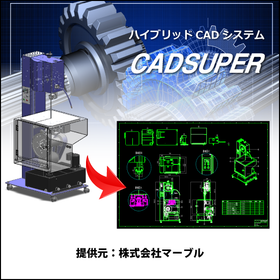
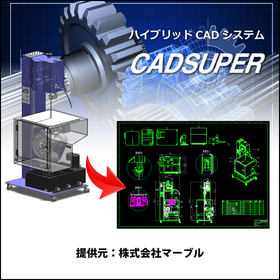
Hybrid CAD System CADSUPER2025

Create value-added drawings with barcodes for product management! CADSUPER2025

In CADSUPER 2025, we have enhanced the "Barcode Command" for creating barcodes and QR codes for product management, the "Layer Name Import/Export Function" for outputting and modifying layer names to external files and re-importing them, the "Image Display Function" that clearly shows the results of modified dimension attributes, and the "PDF File Compression Function" for outputting drawings to PDF. Main Features of CADSUPER 2025: 1. Barcode Command (Optional) 2. Layer Name Import/Export Function 3. Image Display of Dimension Attributes 4. Default File Name Settings 5. Image Settings for Printer/Plotter Output For detailed materials and demos, please contact: Marble Co., Ltd. Embedded Products Division, Product Business Department Phone: (03) 3419-6011

Added to bookmarks

Bookmarks list

Bookmark has been removed

Bookmarks list

You can't add any more bookmarks

By registering as a member, you can increase the number of bookmarks you can save and organize them with labels.

Free membership registration

[Case Presentation] Reducing Design Rework! What 3D CAD is Suitable for Packaging Machine Design?

By advancing the consideration of assembly and mechanical operations, we reduce rework! Achieve front-loading with ultra-fast response 3D CAD.

In the packaging machine industry, there is always a demand to quickly launch new models into the market, and the design period is getting shorter year by year. Additionally, to achieve higher performance, the structure of the machines is becoming more complex, and the difficulty of design is also increasing. To address these challenges, it has become urgent to implement front-loading efforts aimed at identifying and resolving defects that emerge in later stages as early as possible during the design phase, thereby shortening development lead times. iCAD SX offers high-speed response capable of handling 3D CAD data with 3 million parts in just 0.2 seconds, allowing for smooth design discussions without delays in processing, even for complex packaging machines with a vast number of components. Furthermore, since assembly feasibility studies and operational verifications can be conducted for the entire system, it not only allows for early resolution of issues during startup but also facilitates smooth communication with customers and on-site personnel through specification meetings using 3D models, enabling efficient identification of requirements. iCAD enhances design quality in packaging machine design and reduces development lead times. ◎ Customer case studies are currently available for limited viewing on the <special site>! ▶ Click on the special site to download now!   ↓↓↓

Added to bookmarks

Bookmarks list

Bookmark has been removed

Bookmarks list

You can't add any more bookmarks

By registering as a member, you can increase the number of bookmarks you can save and organize them with labels.

Free membership registration

Design and FEA Analysis Solution CAD 'SOLID EDGE'

Are you having trouble creating FEA models? Equipped with intuitive operations and rich, powerful editing features!

"SOLID EDGE" with Synchronous Technology is a design and FEA analysis solution CAD that can convert CAD models into those suitable for FEA. It is a 3D CAD "Solid Edge" developed with the comfortable speed and flexibility of a non-history type, without compromising the management capabilities of a history-based type and parametric design. The intuitive operation of "grabbing and releasing" model shapes makes editing and creating models comfortable, allowing for the smooth and rapid creation of innovative designs. 【Features】For FEA Modeling ■ Equipped with intuitive operations and rich, powerful editing functions ■ Capable of creating analysis models with hole filling, filleting, chamfer removal, adding dimensions, flexible editing of other CAD data, creating multiple cases, and correcting problematic geometries ■ Editing that is cumbersome in history-based 3D CAD can be done extremely intuitively with Solid Edge using Synchronous Technology ■ FEA simulations can also be performed *For more details, please refer to the PDF materials or feel free to contact us.

  • Other CAD
  • Other CAD related software
  • 3D CAD
  • CAD

Added to bookmarks

Bookmarks list

Bookmark has been removed

Bookmarks list

You can't add any more bookmarks

By registering as a member, you can increase the number of bookmarks you can save and organize them with labels.

Free membership registration

CADSUPER for Shipbuilding

A hybrid CAD system compatible with 3D data that streamlines hull design!

In the shipbuilding industry, hull design requires accurate representation of complex shapes and quick responses to design changes. In particular, the use of 3D data is essential for collaboration with strength calculations and structural analysis. CADSUPER supports 3D data and streamlines the design process with intuitive operations. With data conversion capabilities for other formats and customization options, it provides a flexible design environment tailored to customer needs. 【Usage Scenarios】 - Creation of hull structure drawings - Layout design of outfitting equipment - Interference checks using 3D models 【Benefits of Implementation】 - Reduction in design time - Decrease in design errors - Effective utilization of 3D data

Added to bookmarks

Bookmarks list

Bookmark has been removed

Bookmarks list

You can't add any more bookmarks

By registering as a member, you can increase the number of bookmarks you can save and organize them with labels.

Free membership registration

3D CAD/2D CAD CADSUPERWorks Pro

Feel free to request a quote! CADSUPERWorks is a 3D/2D CAD system that supports advanced three-dimensional design.

CADSUPERWorks is an integrated CAD system that has evolved alongside our customers for 22 years since its launch in 1985. It combines the domestically produced bestseller 2D CAD "CADSUPER" with the globally used 3D CAD "SolidWorks," providing an excellent 3D design environment. This system allows for the effective utilization of the unique features of both 2D and 3D design environments, coexisting as an "advanced 3D design environment" and a "flexible 2D design/drawing creation environment." CADSUPERWorks Pro includes the 2D CAD CADSUPER FX2 and features for 3D CAD SolidWorks such as part design/assembly design capabilities, rendering tools, animation tools, viewers, web publishing tools, a 3D standard parts library, model analysis tools, feature recognition tools, route shape design tools, and structural/mechanical analysis tools.

  • 3D CAD
  • 2D CAD machine
  • Other CAD
  • CAD

Added to bookmarks

Bookmarks list

Bookmark has been removed

Bookmarks list

You can't add any more bookmarks

By registering as a member, you can increase the number of bookmarks you can save and organize them with labels.

Free membership registration

Aerospace CADSUPER

Streamline aircraft design with a hybrid CAD system compatible with 3D data!

In the aerospace industry, aircraft design requires high precision and efficiency. Due to the complexity of shapes and structures, reducing design errors and shortening design periods are crucial. CADSUPER supports design work with intuitive operations and is compatible with 3D data. Its data conversion capabilities for other formats and customization options enable effective utilization of existing design assets and optimization of the design process. 【Usage Scenarios】 * Aircraft structural design * Parts design * Drawing management 【Benefits of Implementation】 * Reduction in design time * Decrease in design errors * Improved data management efficiency

Added to bookmarks

Bookmarks list

Bookmark has been removed

Bookmarks list

You can't add any more bookmarks

By registering as a member, you can increase the number of bookmarks you can save and organize them with labels.

Free membership registration

Basic 3D CAD "ZW3D2024 LITE"

Perfect for stepping up from 2D CAD! A 3D CAD specialized in mechanical design functions. Now available for 298,000 yen (excluding tax)!

A basic 3D CAD that implements the popular direct converter in ZW3D and achieves a low price of 298,000 yen (excluding tax). By focusing on essential functions, it prioritizes ease of use and memorability. It is ideal for those considering stepping up from 2D design to 3D design, as well as for those seeking an affordable and usable 3D CAD to complement expensive core CAD systems. It can directly read native data from CATIA v4, CATIA v5, NX, Pro/E, Solidworks, Inventor, etc., without converting to intermediate files, making it suitable not only for basic modeling tasks but also for data conversion and viewer-like usage, such as reading client data and coexisting with CAD assets used in-house.

  • 3D CAD
  • CAD

Added to bookmarks

Bookmarks list

Bookmark has been removed

Bookmarks list

You can't add any more bookmarks

By registering as a member, you can increase the number of bookmarks you can save and organize them with labels.

Free membership registration

Realizing parallel examination of mechanics and control! 3D CAD suitable for automotive equipment design.

Achieving front-loading in automotive equipment development, including control and robot verification! Ultra-fast response 3D CAD that smoothly handles large-scale data.

In the automotive industry, there is a demand for the rapid market introduction of new vehicles, which requires the development of automotive production equipment with short delivery times and high quality. Additionally, not only mechanical design but also PLC simulation of equipment and welding robot simulation are becoming more complex, leading to the use of simulators for pre-validation. However, general simulation software requires the conversion of 3D CAD data, necessitating the reconfiguration of mechanisms and IO information with each design change. This makes it difficult to conduct parallel considerations in line with design progress, and many customers may have given up on this approach. To solve this issue, it is important to achieve control debugging and robot simulation directly on the 3D CAD platform. iCAD SX offers ultra-fast response by processing 3 million parts in 0.2 seconds, allowing it to handle vast amounts of data, including the operation and control information of large-scale models, and enables control debugging and robot simulation directly on the 3D CAD. This facilitates an earlier start to control design, shortening the equipment development period and achieving front-loading. ▶ A special site is currently showcasing limited case studies!    ↓↓↓

Added to bookmarks

Bookmarks list

Bookmark has been removed

Bookmarks list

You can't add any more bookmarks

By registering as a member, you can increase the number of bookmarks you can save and organize them with labels.

Free membership registration

[Manufacturer Case Studies Available] 3D CAD Required for Press Machine Design

Improving design quality through operational considerations of the press machine and entire conveying equipment in 3DCAD.

In the design of press machines, it is essential to efficiently carry out work processing and transportation to each stage. Therefore, it is important to deepen the consideration of "movement" in addition to the structure and configuration of the press machine from the conceptual design stage. However, when progressing with design in 3D CAD, the following problems arise, and it is often reported that the consideration of "movement" is abandoned: - The 3D model becomes heavy, making it difficult to apply movement. - It takes time to convert for simulation. The cause of this is that data becomes heavy due to the history and constraints of general 3D CAD. With iCAD SX, the examination of the device's operation and the confirmation of related interferences can be performed with a single tool. This feature, along with ultra-fast response, allows for the design to progress while experimenting with the device's movements. Furthermore, based on the set movements and the ladder program created by the control designer, the verification of the control program can be conducted on the 3D CAD. By integrating mechanics and control, it is possible to shorten development lead times and improve design quality. ▶ Click on the special site and download the <Case Studies> now!   ↓↓↓

Added to bookmarks

Bookmarks list

Bookmark has been removed

Bookmarks list

You can't add any more bookmarks

By registering as a member, you can increase the number of bookmarks you can save and organize them with labels.

Free membership registration